


PlayZone: Play & Earn Money
4.5415.00 Reviews
App Specs
- Version
- 1.1.5
- Updated On
- License
- Free
- Downloads
- 500,000+
- Developer
- Money Turn
- Categories
- Entertainment
- Platform
- Android
Screenshots

 Analysis by AppCompare
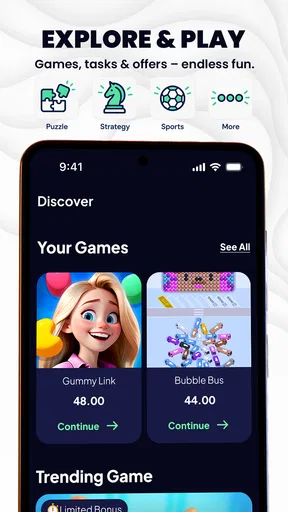
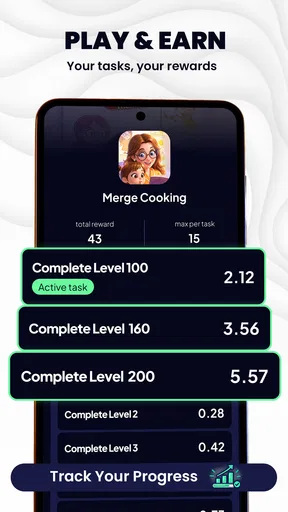
I approached PlayZone: Play & Earn Money as an entertainment app first and an earning app second. That distinction matters. Its central appeal is the chance to play games, finish tasks, and work toward cash or gift-card rewards, but the experience is still built around spare-time use rather than dependable income. I found the idea easy to understand: open the app, choose an available activity, spend some time on it, and keep an eye on progress toward a payout. The real question is whether that routine feels smooth enough to justify the attention it asks for.
PlayZone is free to use, comes from Money Turn, and sits in the entertainment category. It has reached over 500 thousand installs and holds a 4.5 average from around 2.9 thousand ratings, with hundreds of written reviews. Those figures suggest that the concept has found an audience, although popularity alone does not tell me whether the rewards will feel worthwhile for every person. The mature 17+ rating is also important: I would not treat this as a general family entertainment app or hand it to a younger user without checking the store and device settings first.
How PlayZone feels during ordinary use
I find ordinary use easier to judge when I separate the entertainment from the reward: a few minutes with one activity can be pleasant, while checking progress too often can make the same break feel like a chore. Before settling into a longer session, I would decide how much time I’m willing to give it and what would make that time feel worthwhile. That practical boundary leads naturally to a closer look at the choices and checks that matter when rewards are involved.
A quick start, but not an instant reward
The first thing I noticed about this kind of app is how quickly the promise can create unrealistic expectations. The interface may get me from opening screen to an available activity without much effort, but that does not mean the reward arrives quickly. PlayZone works best when I see it as a collection of small entertainment tasks, not as a shortcut to meaningful earnings. The early experience is most satisfying when I already have a few minutes to spare and would otherwise be browsing casually.
In practical terms, speed has two sides. The app itself needs to open and respond comfortably, while the activities need to provide clear progress. A fast screen transition is useful, but it is less important than knowing what I am expected to do next, how completion is recognized, and where the reward status can be checked. I would pay close attention to those details before investing a long session. If an activity feels vague, I would leave it rather than assume that more time automatically means better results.
My preferred routine is simple: I look through the available options, choose one that fits the time I have, and avoid starting several tasks at once. That approach reduces the chance of forgetting which activity I opened or spending time on something that does not match my expectations. It also makes the app feel less frantic. PlayZone is easier to enjoy when I treat each session as a small, deliberate choice instead of constantly chasing the next offer.
What happens when a session becomes heavier
Longer use is where an earning-focused entertainment app has to prove itself. A short visit can seem perfectly fine, but repeated game launches, task switching, and reward checking place more demands on the phone and on my attention. I would expect the heaviest moments to occur when I move repeatedly between PlayZone and another game or service, especially on a device with limited free storage or memory. That does not automatically make the app poor; it simply means the phone’s overall condition becomes part of the experience.
Worth Reading Before You Choose

EA SPORTS FC Mobile 26 Is a Bigger Football Game, but It Takes Time

Flipboard Shows What News Apps Must Do Beyond the Feed

Switching to Android Auto Means Rethinking Your Driving Routine

Google Calendar Makes a Crowded Week Easier to Manage

Ludo King Makes the Most of the Minutes Between Plans

Baby Panda World Brings Quick Play to Modern Phones, but Its Game Library Feels Busy
I found it sensible to close unrelated apps before settling into a longer session. This is not a special trick for earning more, but it can make the phone feel less crowded and reduce interruptions caused by other applications. Keeping the operating system reasonably tidy also helps: a nearly full device tends to make every app feel less responsive, regardless of developer quality. If PlayZone begins to feel sluggish after extended use, I would first test it after a restart rather than immediately assuming the reward system is at fault.
There is also a mental cost to heavy use. Switching between several activities can make a session feel busy without making it productive. My strongest practical tip is to set a time limit before starting. For example, I might use a short break to complete one focused activity, then stop and review the result. That habit helps me judge whether the time spent feels fair instead of allowing the app to turn an open-ended search for rewards into an unplanned hour of tapping.
Stability and recovering from interruptions
Reliability matters more here than it does in a simple video or music app because progress and completion are tied to a task. A brief interruption is annoying in ordinary entertainment, but it can be much more frustrating if it happens while I am trying to finish an activity. I therefore prefer using PlayZone when my connection and battery are reasonably stable, rather than beginning a longer session while travelling through areas with unreliable service.
If the app stops responding or I have to leave it unexpectedly, my first recovery step would be to reopen it and check the activity or reward area before repeating anything. That is a safer workflow than immediately doing the same task again. Repeating an activity without checking the current state could waste time, particularly when I am unsure whether the app registered the previous attempt. I would also avoid force-closing the app in the middle of a task unless it has genuinely frozen.
For everyday use, I would keep screenshots or brief notes of important progress when a task has taken substantial time. I do not see that as a requirement for every small session, but it is a sensible personal record if I am close to a reward threshold or need to remember what I completed. It cannot guarantee a result, yet it gives me a clearer reference if I need to retrace my steps. This is one of those small habits that makes an earning app feel less uncertain.
PlayZone is more appealing when the app recovers cleanly after an interruption, but I would not judge its value solely by how quickly it relaunches. The whole chain matters: opening the app, returning to the right activity, recognizing progress, and presenting a clear route toward a payout. If any one of those steps feels confusing, the practical speed of the experience drops even when the phone itself is running normally.
Older phones and the minimum software requirement
The current version is 1.1.5, and the app requires Android 7.0 or later. That gives it a relatively broad compatibility range for Android users, including people who are not carrying a recent flagship. Still, a supported operating system does not guarantee an equally comfortable experience on every device. Age, available memory, storage space, battery health, and the performance of the games connected to the experience can all affect how smooth a session feels.
On an older phone, I would keep expectations modest. I would use shorter sessions, leave extra storage available, and avoid running several demanding apps at the same time. If the device becomes warm or the battery falls quickly, I would stop rather than treating that as a normal cost of earning. A small reward is not worth making the phone uncomfortable to hold or leaving too little battery for an important call.
Users with newer devices may notice fewer slowdowns, but that does not mean they should ignore efficiency. Any app involving repeated activity can encourage longer screen-on time, and that affects battery life even when the app itself is not unusually demanding. I would charge before a planned session and avoid using the app while the phone is already hot. These are ordinary precautions, yet they make the experience more predictable.
iPhone users should be aware that the confirmed compatibility detail here is for Android, so I would check the relevant platform listing before assuming the same version and requirements apply elsewhere. The important point is to verify that the edition installed on the phone matches the device’s operating system and that the payout route suits the user’s location and account setup. Those checks are more useful than assuming that every feature behaves identically across platforms.
Where it fits beside familiar alternatives
The usual alternative is simply playing a free mobile game without a reward layer. That option is often cleaner: I choose a game because I like it, play for as long as I want, and do not need to think about tracking tasks or reaching a cash-out point. PlayZone has an advantage when I enjoy experimenting with different activities and like the possibility of turning spare minutes into a small reward. It has a disadvantage when the reward process makes entertainment feel like work.
Another alternative is using survey or task apps. Those may be more direct for people who want structured questionnaires or straightforward microtasks, while PlayZone is better suited to someone who prefers game-related activity. I would not choose PlayZone expecting it to replace a regular side job. Its value is closer to a bonus attached to leisure. If I would happily play the activity anyway, the reward can improve the experience; if I dislike the activity, the incentive may not compensate for the time.
There is also a trust trade-off. Cash through PayPal or gift cards sounds more useful than points with no obvious purpose, but I still need to read each task carefully and understand the route from completion to redemption. I would not share more personal information than necessary, and I would be cautious about any request that feels unrelated to the app’s entertainment purpose. The promise of real cash should encourage careful checking, not rushed decisions.
A realistic everyday scenario
Imagine I have a quiet commute, a lunch break, or a few minutes before an appointment. I open PlayZone, scan the available activities, and select one that can reasonably fit the time. I keep the session focused instead of jumping between every option. When the break ends, I check whether the activity registered and then close the app. That is a realistic use case because it treats the reward as an extra rather than assuming that a short break will produce a major payout.
For a longer evening session, I would use a different approach. I would first check the phone’s battery and storage, close unnecessary apps, and choose one activity with a clear goal. I would avoid starting just before going to sleep, since extended screen time can easily run past the point where the reward feels worthwhile. If progress appears unclear, I would pause and review the task rather than continuing automatically. The best workflow is controlled and boring in a good way.
Families should also consider the mature age rating before installing it on a shared device. Even if an older teenager is technically within the rating, I would still explain that earning apps can involve time, accounts, and redemption decisions. I would not present PlayZone as a guaranteed money-making tool. That conversation is especially important when a child sees the word “cash” and assumes the result is immediate or certain.
Who will enjoy it, and who should skip it
I can recommend PlayZone to adults who already enjoy mobile games, have realistic expectations, and want a casual way to explore reward-based activities. It is also a reasonable fit for people who prefer small, flexible sessions rather than committing to a single large game. The free price removes the need to make an upfront purchase, which makes testing the experience less risky from a budget perspective.
I would skip it if I need predictable income, dislike tracking progress, or become frustrated when a reward takes time to build. It is also not the right choice for anyone under the mature rating, or for users who want a completely passive experience. The app asks for attention: I need to choose activities, complete them properly, and keep an eye on the redemption path. People who want uninterrupted gameplay may be happier with a conventional entertainment app.
My advice is to judge the first few sessions by clarity and enjoyment, not by the biggest possible reward. Can I understand what I am doing? Does the activity suit the time I have? Does the progress feel easy to follow? If the answers are yes, continuing may make sense. If I am already annoyed by the process, a larger theoretical reward will probably not fix the underlying mismatch.
My performance verdict
PlayZone presents a compelling combination of casual play and potential rewards, but its performance should be judged as a complete routine rather than a single loading screen. On a compatible, reasonably maintained Android phone, I would expect the most comfortable experience from short, focused sessions. Heavy multitasking, unstable connectivity, low storage, and an aging battery can make the same app feel far less pleasant.
The app’s strongest practical quality is flexibility: I can approach it in small pieces and decide whether an activity is worth continuing. Its main weakness is the gap between entertainment value and earning expectations. The free installation makes experimentation easy, but it does not remove the need to protect my time, check task progress, and use sensible privacy judgement. Those trade-offs should be clear before I commit to longer sessions.
Money Turn has created something that will appeal to a specific kind of user rather than everyone who owns a phone. I would recommend it as a casual reward experiment for mature Android users who enjoy games and understand that rewards are a bonus, not a paycheck. I would not recommend replacing a favorite game or a reliable work option with it. The best reason to try PlayZone is that the activity is enjoyable even before the reward is considered.
With its 4.5 average and growing audience, PlayZone is clearly attracting interest, and version 1.1.5 gives users a current release to try. My final view is cautiously positive: it is worth testing when I have spare time, a compatible device, and patience for a reward-based routine. I would keep sessions measured, verify progress after interruptions, and stop if the phone or the process begins demanding more than the experience gives back.
Pros
- Simple interface makes games easy to find and start.
- Offers a variety of casual games for short play sessions.
- Rewards can add extra motivation to keep playing.
- Lightweight gameplay is suitable for older Android devices.
- No advanced gaming skills are required to participate.
Cons
- Earnings may be small compared with the time invested.
- Reward availability can vary by country or region.
- Some tasks may require watching frequent advertisements.
- Cash-out rules and minimum thresholds may limit withdrawals.
- The app may collect usage data for personalization or analytics.
FAQs for PlayZone: Play & Earn Money
What is PlayZone: Play & Earn Money?
PlayZone: Play & Earn Money is a rewards app that lets users discover and play selected mobile games while collecting points or credits for eligible activity. These rewards may later be exchanged for available payout options, such as gift cards or other supported rewards. The exact games, earning rates, requirements, and redemption choices can change, so users should review the current in-app terms before investing significant time.
Can I really earn money with PlayZone?
PlayZone may provide rewards for completing qualifying gameplay or other activities, but it should not be treated as a guaranteed income source. Earnings generally depend on the games offered, your location, time spent, progress requirements, and any promotional limits. Before downloading, check the minimum withdrawal threshold, supported payout methods, verification rules, and whether rewards are available in your country.
How does earning and redeeming rewards work?
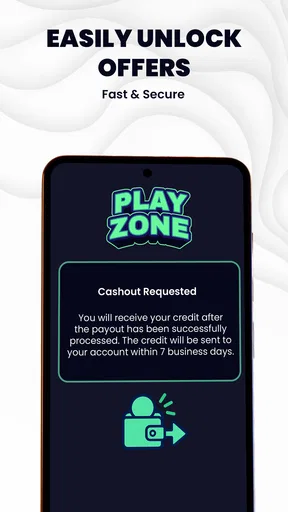
After creating an account, users typically select an eligible game or offer through PlayZone, complete the stated requirements, and wait for the activity to be tracked and credited. Once enough points are accumulated, they can request an available reward from the redemption section. Tracking may occasionally be delayed, and incomplete instructions, ad blockers, VPN use, or installing a game outside the app may prevent credit.
Is PlayZone: Play & Earn Money safe to use?
The app should be downloaded only from an official Google Play or Apple App Store listing, and users should review its publisher information, privacy policy, permissions, and recent reviews before signing up. Because rewards apps may collect device, usage, advertising, or account data, avoid sharing unnecessary sensitive information. Never pay a fee to unlock a withdrawal, and contact official support if an offer behaves suspiciously.
What should I know before installing PlayZone?
PlayZone may require an internet connection, account registration, advertising identifiers, and permission to track activity associated with participating games. Availability and payout options can differ by country, device, operating system, and age requirements. Read each offer carefully, especially its time limit and completion conditions. Also remember that gameplay can involve advertisements, in-app purchases, or substantial time commitments that may outweigh the value of the rewards.


